
Status Watchr
Follow selected Codex conversations, with a second signal when work finishes or fails.
- Responsibility
- Design, engineering, and maintenance
- Focus
- Backup alerts for watched agent conversations
Get the app.
Self-hosted dashboard and server, plus a separately distributed Mac observer. Mac downloads use a local signing certificate and are not Apple-notarized. Phone alerts need your own HTTPS setup.
- Built with
- React · TypeScript · Swift · Node.js · PGlite
Leaving the desk should not mean losing track of a run.
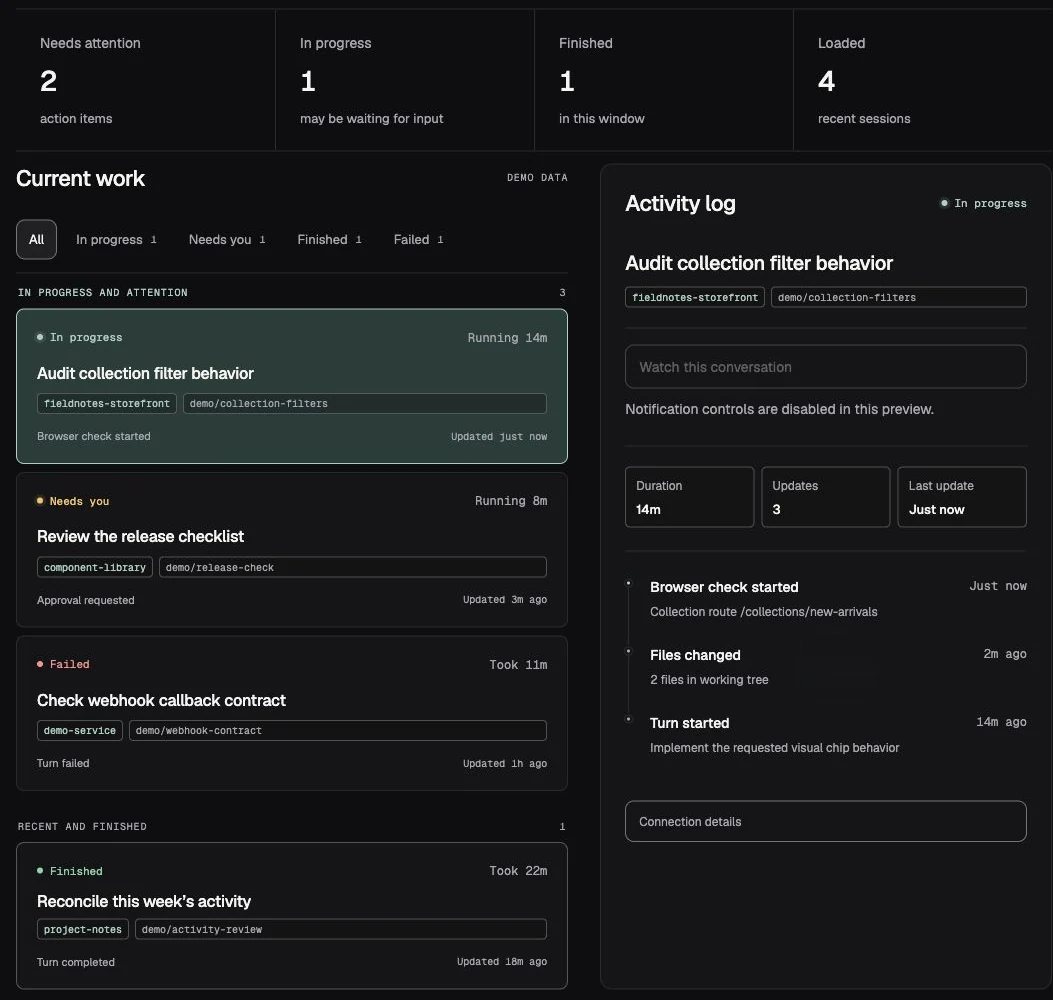
I built Status Watchr because I wanted a second signal when a long-running agent conversation had finished or needed me. The Mac observer follows conversations I explicitly choose to watch, and a separate dashboard makes activity, notification coverage, and source availability visible.
An agent can finish while its window is out of sight. A useful backup alert must distinguish completion from a temporary pause, preserve watch intent across resumed work, and make unavailable metadata visible rather than guessing what happened.
What I built.
- A read-only Mac observer and self-hosted activity dashboard, with persistent watches for selected conversations.
- Completion confirmation and parent/child run relationships, so newer activity can supersede an earlier finished signal.
- Local event queues, authenticated ingestion, and persistent notification retries across normal server restarts.
- Optional Web Push subscriptions with explicit device controls, plus separate coverage indicators for experimental attention detection.
A secondary signal with honest limits.
Status Watchr does not start, reply to, or approve agent work. Local passwords are optional through an explicit loopback mode; ingestion always requires its own credential. Phone access requires an HTTPS origin and a successful device test. Agent metadata can change, question detection is experimental, and notification delivery is not guaranteed.
Where it landed.
A self-hosted dashboard and server with a signed Mac companion and its own update channel. The native upgrade preserves saved connection settings and credentials; dashboard preferences let each person adjust the workspace name, appearance, density, and default activity view.
Explore the other apps